Product
Install Phrasing as an App

Phrasing isn't in the App Store.
Open it in Safari, add it to your home screen, and it behaves exactly like a native app from that point on. Full screen, its own icon, works with no connection. Thirty seconds, one time, done.
This is a Progressive Web App. A website that installs itself. No download, no app store account, no update notification interrupting a review session. The page you visit is the app you use.
Installing on iOS
Go to fluency.phrasing.app.
Use Safari. Chrome and Firefox on iOS can't add a site to your home screen, only Safari can. Once the page loads, tap the ••• menu in the bottom corner.
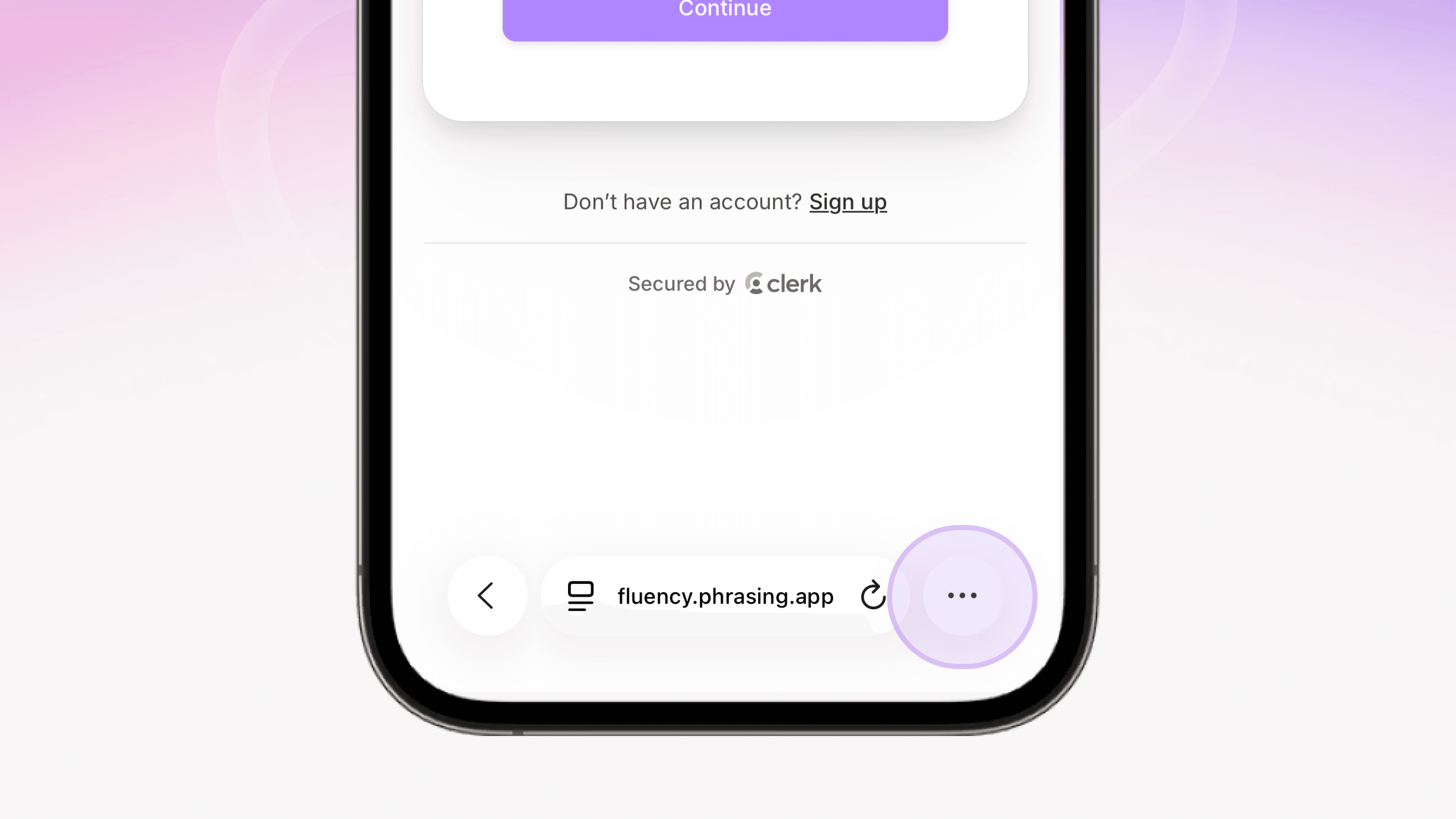
Tap Share
It's the top option in that menu, the box with the arrow pointing up. Same button you'd use to send a link to a friend.
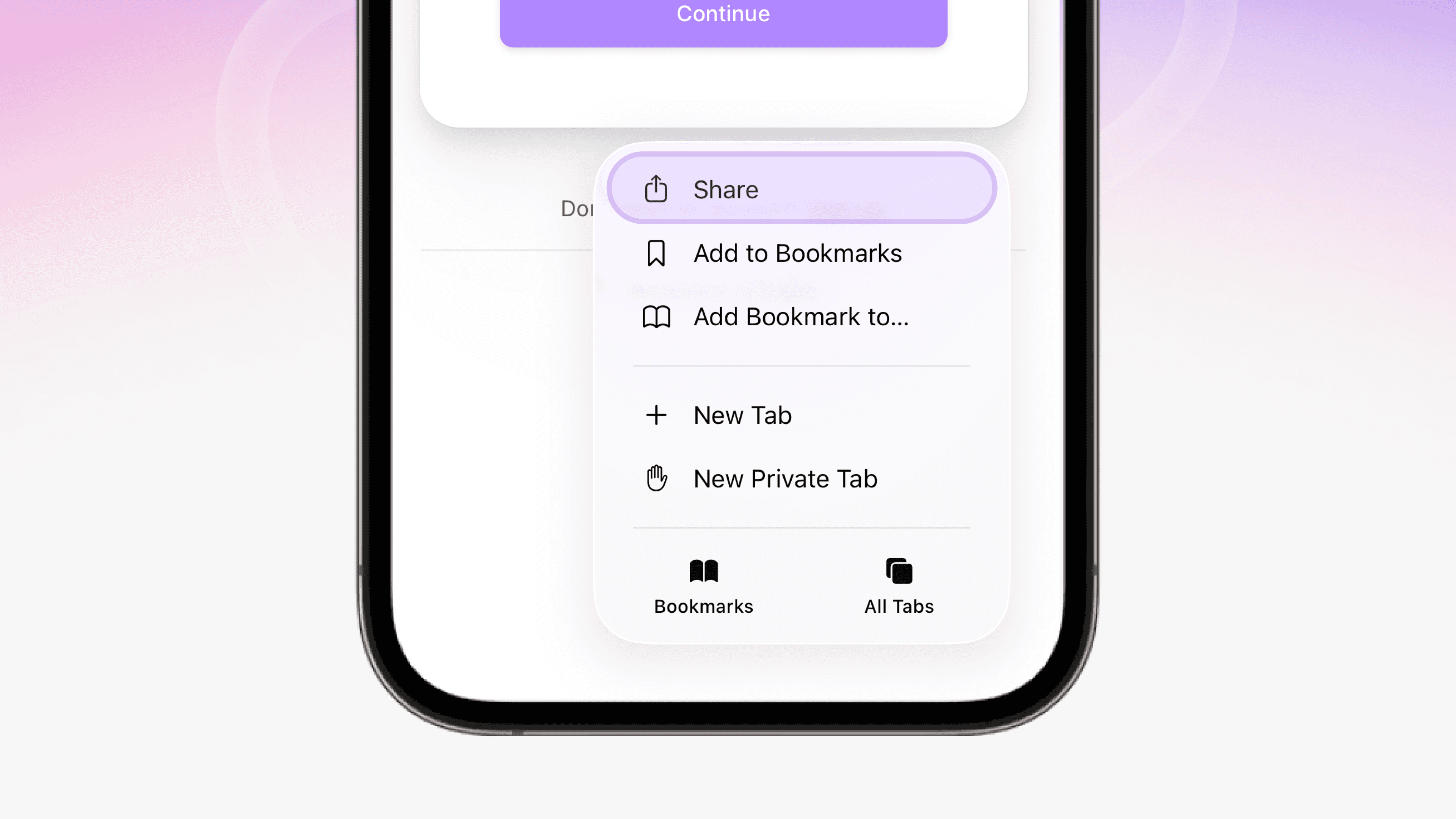
Scroll down and tap "Add to Home Screen."
It's past Add to Quick Note and Find on Page, sitting on its own above Markup and Print.
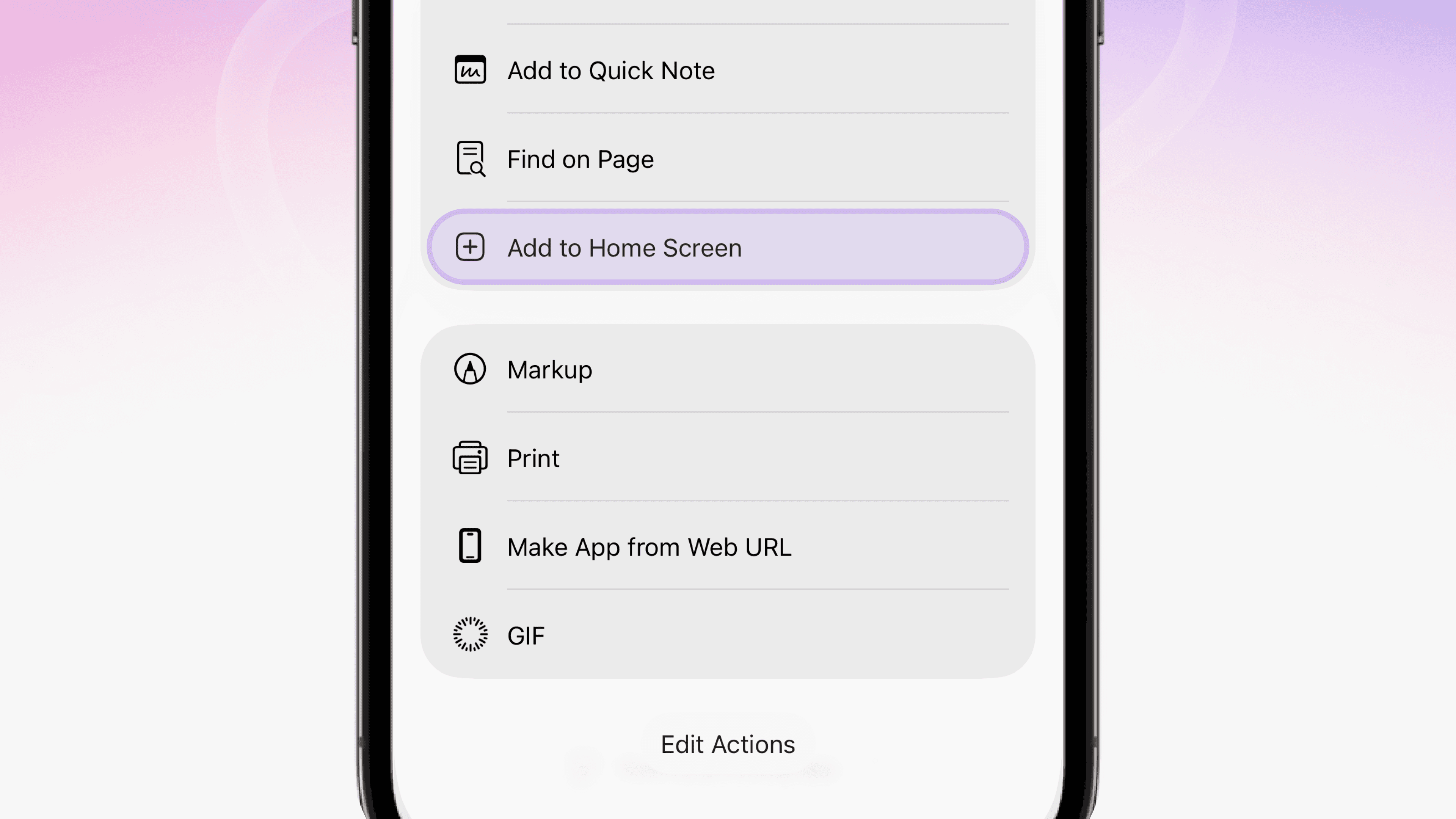
Tap Add.
Safari shows you the icon, the name, and a toggle called "Open as Web App." Leave that toggle on. It's what makes Phrasing open full screen instead of inside a browser tab. Tap Add in the corner and you're finished.
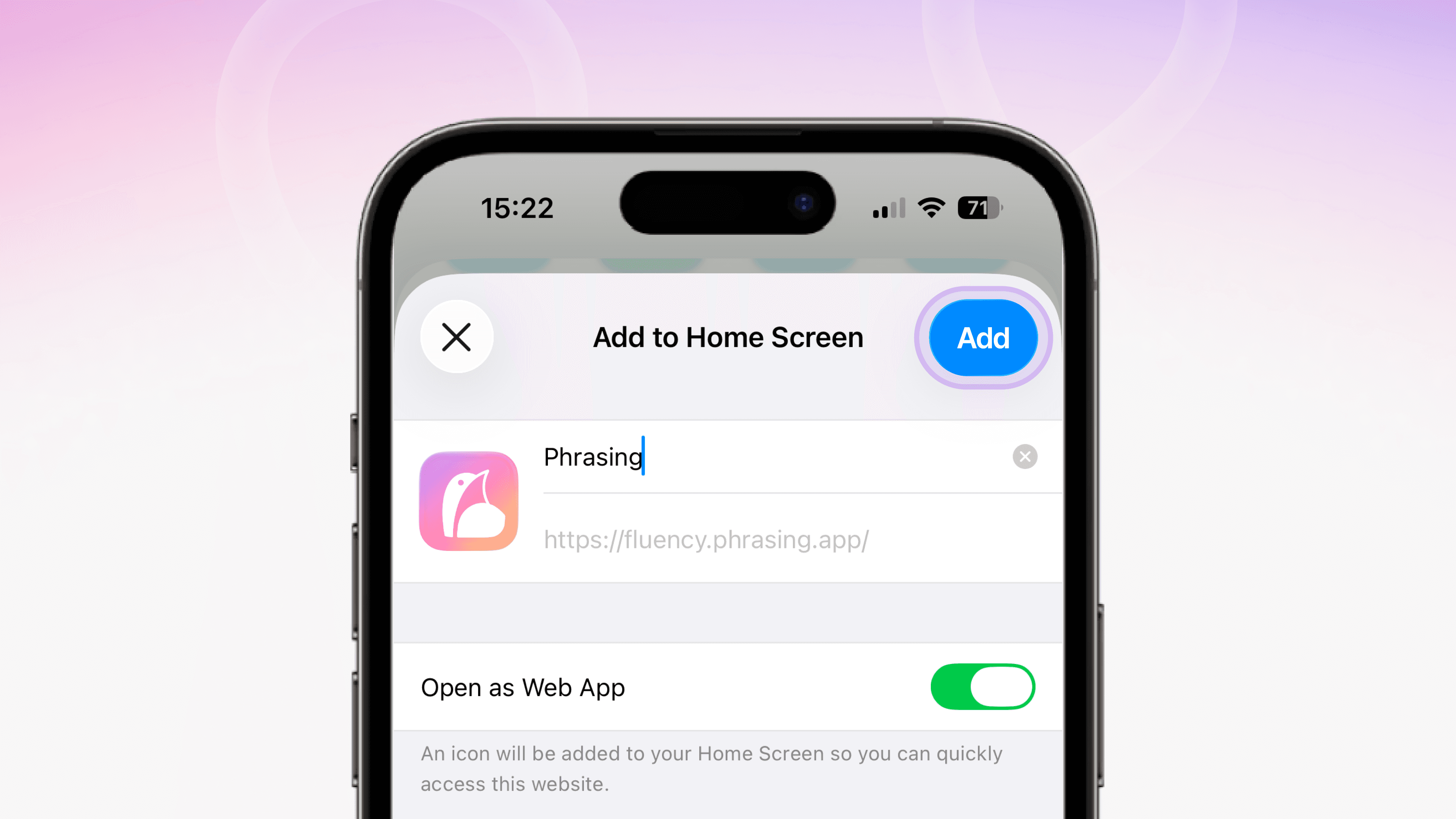
That's it
Phrasing is on your home screen now. Tap the icon and it opens full screen, no address bar, no browser chrome. Reviews and Clozewords work with the phone in airplane mode.
Installing on macOS
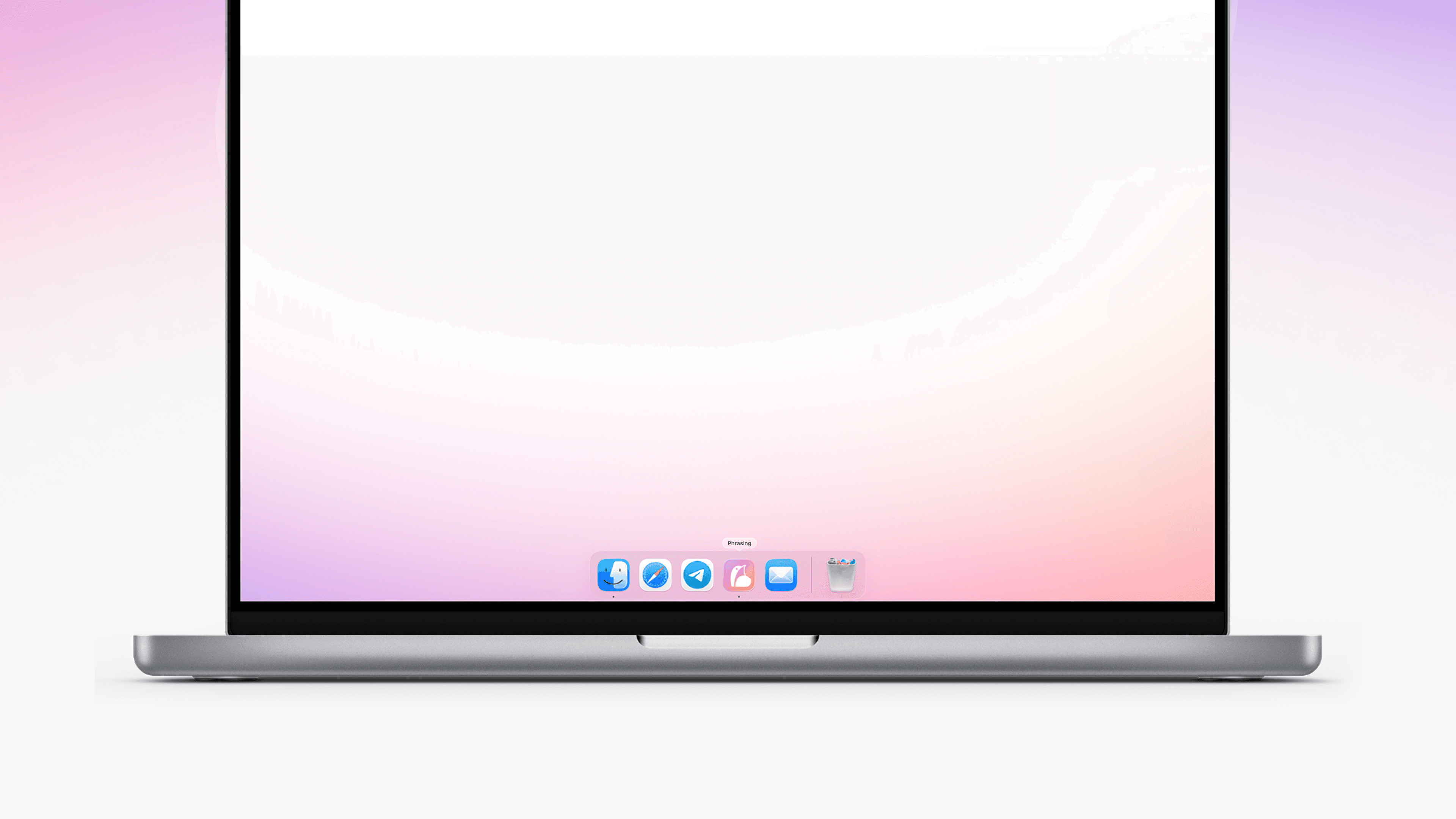
Same idea on Mac. Open fluency.phrasing.app in Safari, tap Share, and add it to your dock the same way. Phrasing shows up as its own app icon, sitting next to Safari and Mail, separate from whatever's happening in your browser tabs. Close every Safari window and Phrasing keeps running on its own.
Installing on Android
Same idea, Chrome instead of Safari.
Go to fluency.phrasing.app.
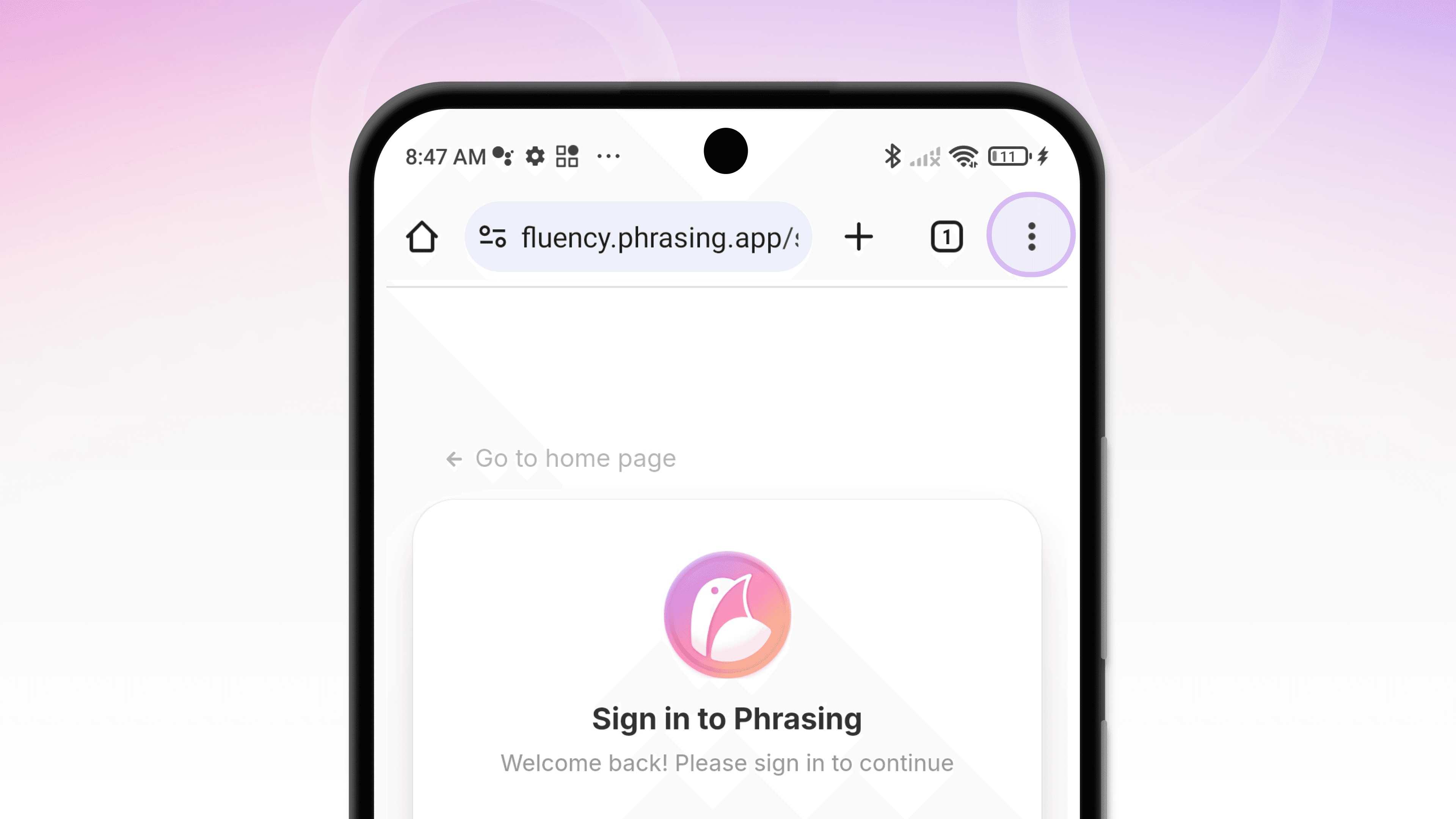
Tap the menu in the top right, the three dots.
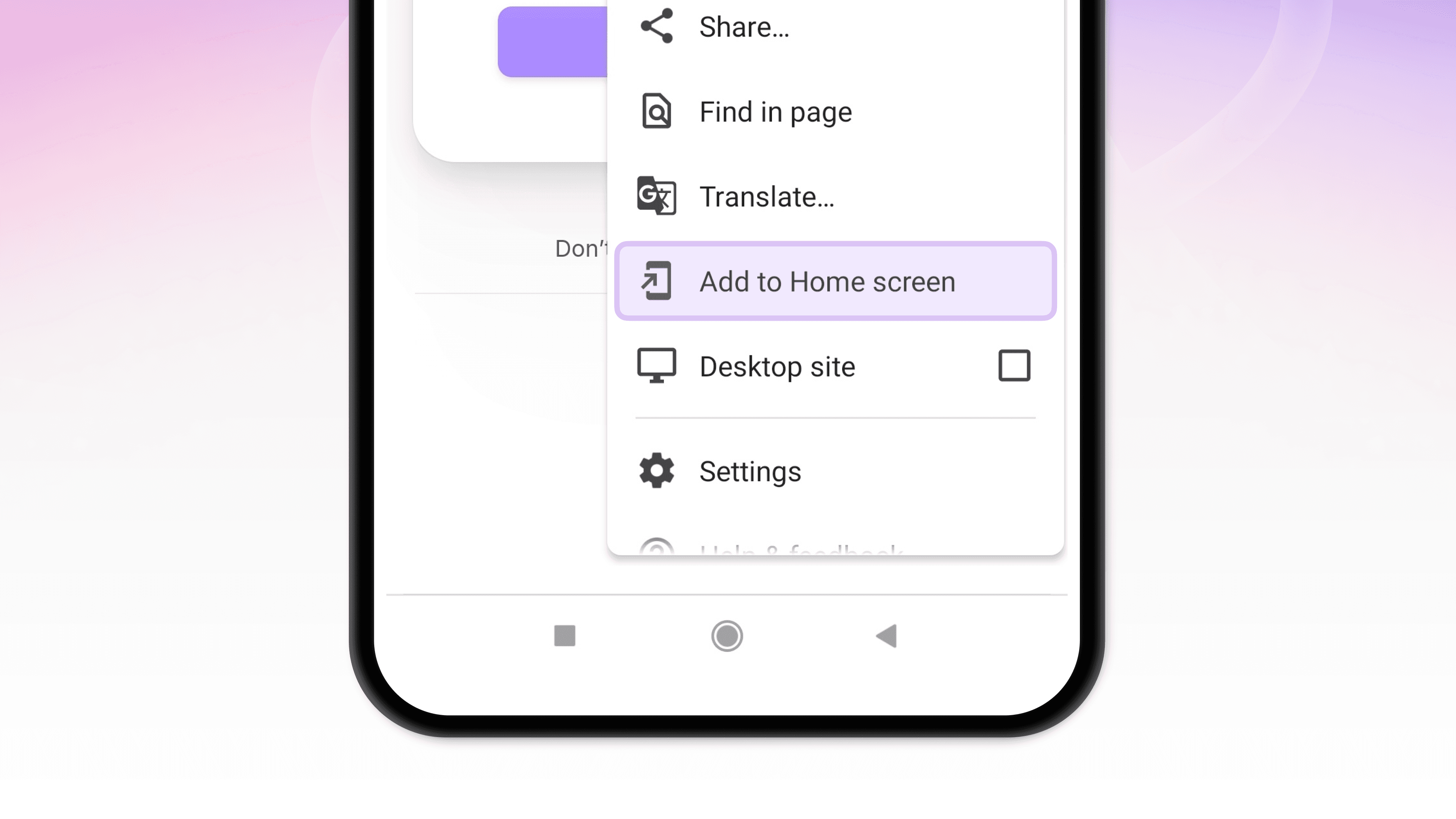
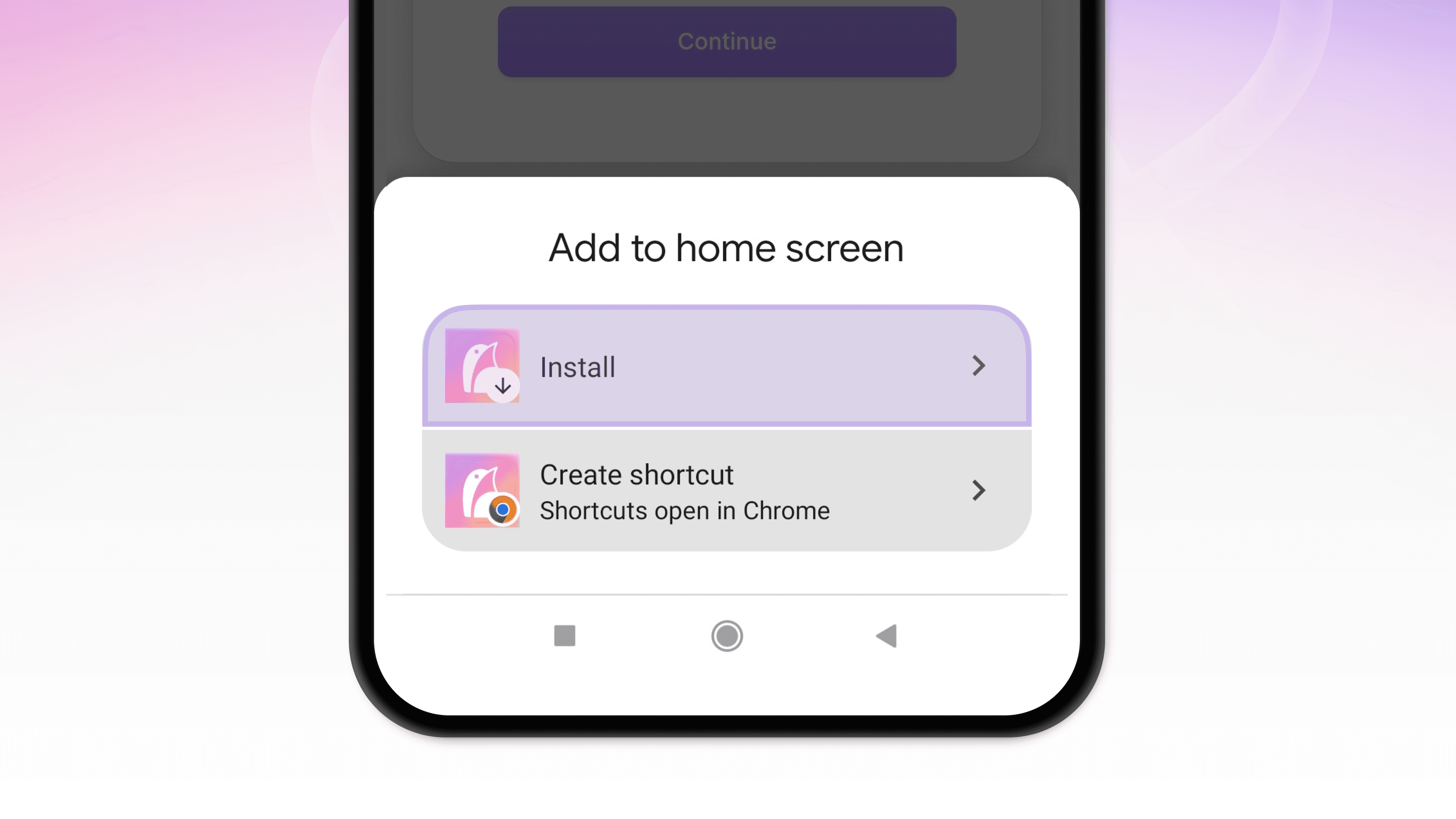
Tap "Add to Home screen."
It's down the list, past New Tab and History, above Desktop Site and Settings.
Tap Install
in the popup that appears at the bottom.
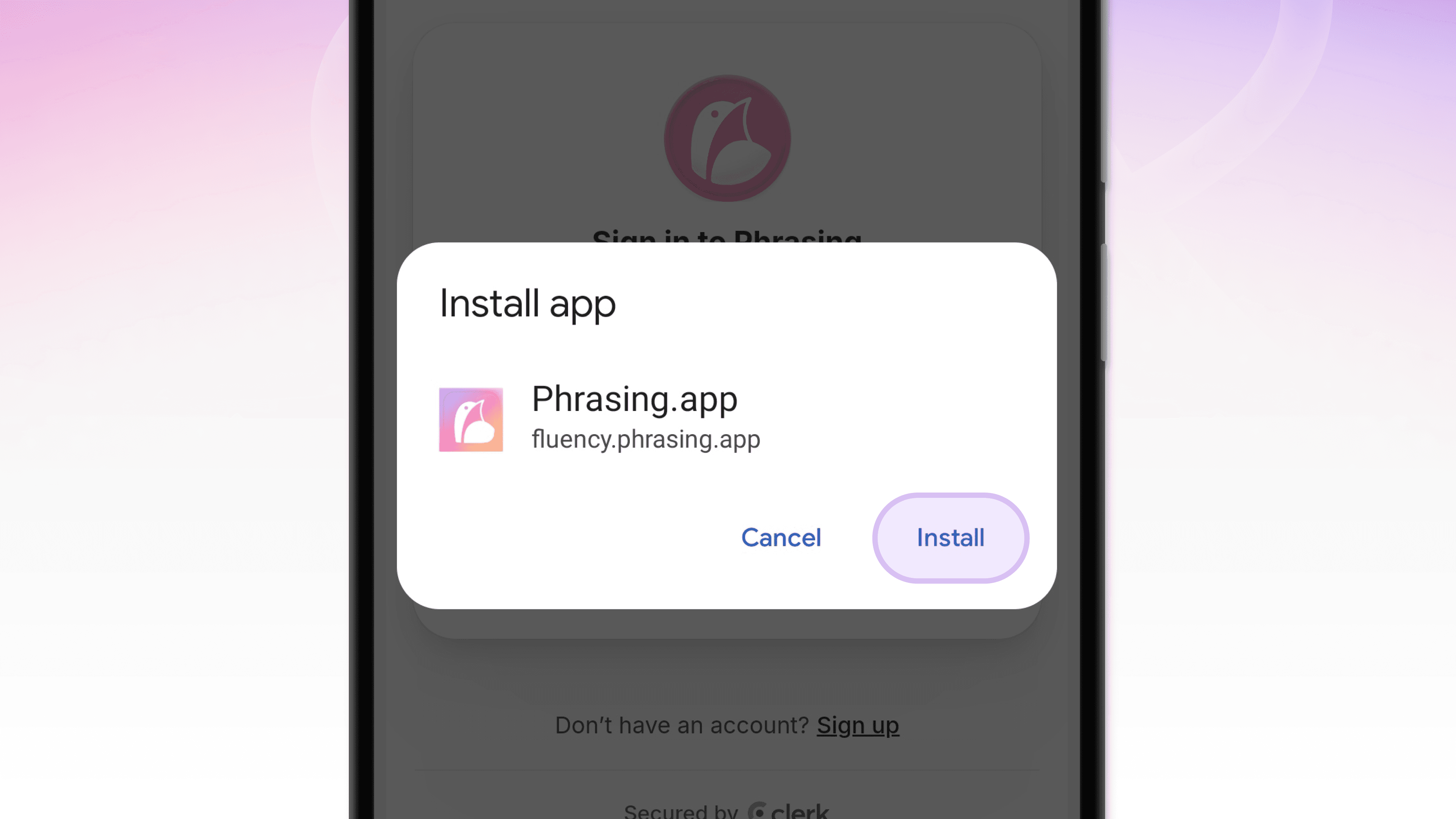
Confirm Install.
Chrome shows a final popup with the Phrasing icon and name. Tap Install again and you're done.
Phrasing lands on your home screen like any other Android app, no Play Store required.
Why this beats a bookmark
A bookmark is a saved address. This is an app.
It opens instantly instead of waiting on a browser to load first. It keeps working when your connection drops. And it lives on your home screen where you'll actually see it, instead of buried in browser history you never scroll back through.
Thirty seconds today. Less friction every day after.